Login with Google
30-day personal session. All AI results and history are private to the account owner.
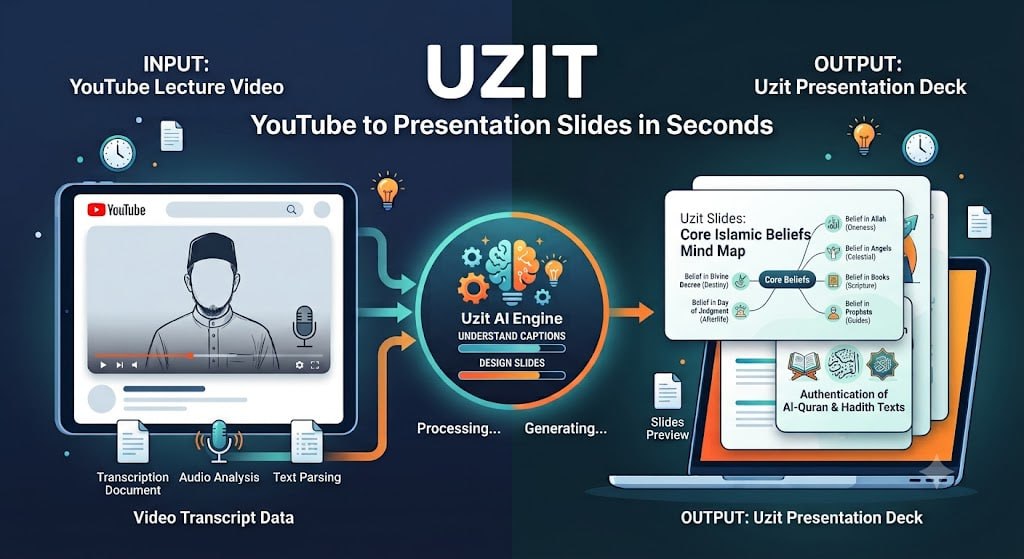
Uzit reads captions, understands the content, generates visuals, and builds presentation-ready slides — with special support for Quran, Hadith, and prophetic stories.
How it works
30-day personal session. All AI results and history are private to the account owner.
Support for single videos or playlists (up to 25 videos, 4 hours each).
Doodle, Minimalist, Cartoon, Professional, Watercolor, Isometric — 16:9, 9:16, 1:1.
Real-time SSE, slide player, variation editor, ZIP download, cancel/resume.
Core Features
Built on FastAPI, arq workers, Redis, MariaDB, Azure OpenAI, Azure gpt-image, Google Sign-In, and yt-dlp.
Special Feature
Uzit detects slide types: general, quran, hadith, and prophet_story — then handles religious text differently from regular slides.
Arabic text + translation verified by AI against transcript context (±30s), then rendered directly onto images using Pillow for 100% accuracy.
Prophet names normalized as calligraphy. Illustrations without faces or living beings, using Shariah-compliant prompts.
Every image is reviewed by vision AI. Religious slides go through additional text verification to ensure readability and accuracy.
Full Control
Roadmap
Organized by focus: Content, Visual, Collaboration, Scale, and Security.
Ready to try
Uzit is currently in active development. The full public version will be available at uzit.my.